Dawcade Arcade Icon

A studio
that fits
in your
hands

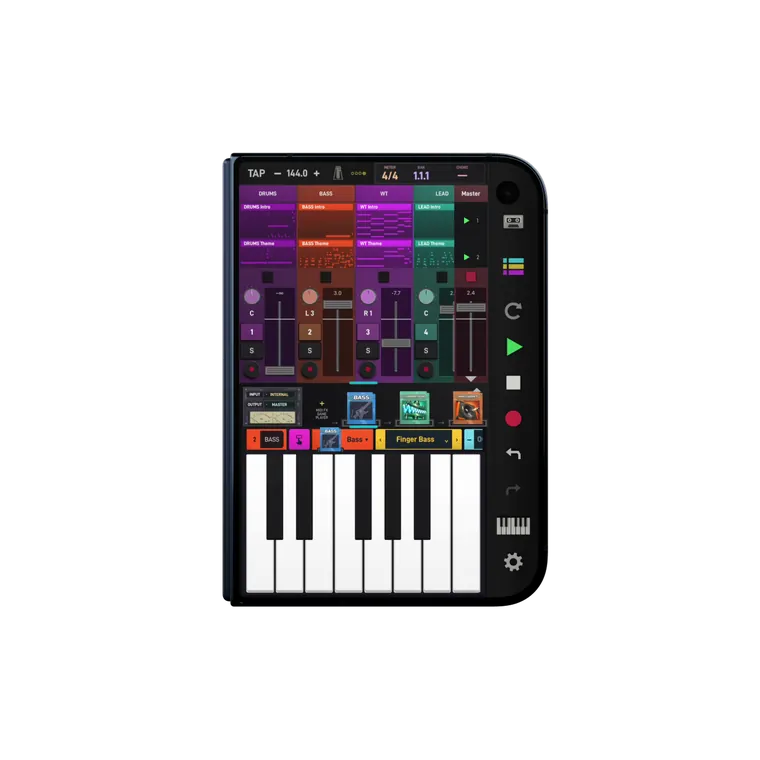
Produce anywhere. Sample everything. Perform on stage without a laptop. Dawcade is a complete music studio for handhelds, phones and tablets — on Android and iOS.

Dawcade on AYN Thor Dawcade on Galaxy Z Fold 8, opened like a laptop Dawcade on iPhone Duo, folded like a laptop Dawcade on Retroid Pocket Classic Dawcade on iPhone Dawcade on iPad: synth, pinball and keyboard side by side

MAKE A SONG FROM NOTHING

Pick a style and a mood, and in seconds a band is playing your song — drums, bass, keys, guitar and melody, on sounds you chose. Or start with a single note and build every part yourself. Either way, you end up with a finished track you can mix, master and share.

AI that gives you the parts, not just the song

Most AI music tools hand you a finished file you can't open. Dawcade works the other way: its AI writes real notes on real instruments inside your song. Keep the drums, ask for a new bass line, rewrite the chorus, play a solo over the top — every part stays yours to change, one at a time.

Dawcade on a folding phone, transforming into a tablet and a laptop

Play It Your Way

Keys, chord pads, strum plates, drum pads and more than twenty playful surfaces turn the screen into an instrument. Session players — a drummer, a bassist, a pianist and more — play along with you, and a single finger steers how they play. Sample any sound around you and turn it into a kit.

WHERE STUDIO MEETS ARCADE

Loading the cartridge collection…

Games That Make Music

Some cartridges are games. Load Chord Racer or NoteBreaker and your own song becomes the level; surfaces like Flipper, Fruit Machine and Shepard Tower turn every move into a note on the beat. Play, practise and write music at the same time.

Play Mode Melody Drum Sequencer Play Mode Flipper Drummer Play Mode Orbits Play Mode Drum Kit Live Suggest Drum Pad Play Mode Fruit Machine Play Mode Echo Garden Radar Bowed Shepard Chord Hex Play Mode Melody Drum Sequencer Play Mode Flipper Drummer Play Mode Orbits Play Mode Drum Kit Live Suggest Drum Pad Play Mode Fruit Machine Play Mode Echo Garden Radar Bowed Shepard Chord Hex Play Mode Melody Drum Sequencer Play Mode Flipper Drummer Play Mode Orbits Play Mode Drum Kit Live Suggest Drum Pad Play Mode Fruit Machine Play Mode Echo Garden Radar Bowed Shepard Chord Hex

Finish It, Share It

Record your best take, fix the timing, bring the mix to life and give it a final polish. When it is done, export a finished, mastered track — or every instrument on its own and all your notes as MIDI, ready for another studio or for sharing.

Audio Edit MIDI Edit Clip Arrangement Clip Arrangement Top Audio Edit MIDI Edit Clip Arrangement Clip Arrangement Top Audio Edit MIDI Edit Clip Arrangement Clip Arrangement Top Audio Edit MIDI Edit Clip Arrangement Clip Arrangement Top Audio Edit MIDI Edit Clip Arrangement Clip Arrangement Top Audio Edit MIDI Edit Clip Arrangement Clip Arrangement Top Audio Edit MIDI Edit Clip Arrangement Clip Arrangement Top Audio Edit MIDI Edit Clip Arrangement Clip Arrangement Top

AI Tools, On Your Device

Pull the vocals out of a song, clean up a noisy recording, take the room echo away, turn a hummed melody into notes and find the tempo of anything — offline, right on your device, with nothing uploaded. Stuck? Ask the built-in assistant, by voice or by text; it can even write chords and parts for you.

DAWCADE's arcade machine assistant with a smiling screen face
Tennis Arp Top Arp Top 2 Arp Top 3 Markov Arp Top 5 Arp Top 4 Tennis Arp Top Arp Top 2 Arp Top 3 Markov Arp Top 5 Arp Top 4 Tennis Arp Top Arp Top 2 Arp Top 3 Markov Arp Top 5 Arp Top 4 Tennis Arp Top Arp Top 2 Arp Top 3 Markov Arp Top 5 Arp Top 4 Tennis Arp Top Arp Top 2 Arp Top 3 Markov Arp Top 5 Arp Top 4 Tennis Arp Top Arp Top 2 Arp Top 3 Markov Arp Top 5 Arp Top 4 Tennis Arp Top Arp Top 2 Arp Top 3 Markov Arp Top 5 Arp Top 4 Tennis Arp Top Arp Top 2 Arp Top 3 Markov Arp Top 5 Arp Top 4

The Band

Your own band, ready when you are. Choose a style and a mood and the Band plays a whole song — drums, bass, keys, guitar and lead — on the sounds you picked. Love the groove but not the bass? Ask for a new bass line and keep everything else. Make the chorus bigger, jam through the sections live while the Band follows you, and watch your players perform on stage.

Band controls Band bass player Band on stage Band guitar player Band keys player Band lead player Band controls Band bass player Band on stage Band guitar player Band keys player Band lead player Band controls Band bass player Band on stage Band guitar player Band keys player Band lead player Band controls Band bass player Band on stage Band guitar player Band keys player Band lead player Band controls Band bass player Band on stage Band guitar player Band keys player Band lead player Band controls Band bass player Band on stage Band guitar player Band keys player Band lead player Band controls Band bass player Band on stage Band guitar player Band keys player Band lead player Band controls Band bass player Band on stage Band guitar player Band keys player Band lead player

MADE FOR DUAL SCREENS

Dawcade was built for two screens. Keep your song, the mixer and an effect on top while the lower screen becomes keys, pads or the Band — play and shape the music at the same time. Fold a foldable into a tiny laptop, and on iPad and large tablets open several windows side by side, resize them and build your own workspace.

Dawcade on iPhone Duo, folded like a laptop
Dawcade on AYN Thor: Voltage Synth on the top screen, the keyboard below
Dawcade on Galaxy Z Fold 8 opened like a laptop: session and an effect window on top, the keyboard below
Dawcade on a phone in a controller: Pad Synth on the phone, session and mixer below Dawcade on iPhone Dawcade on Retroid Pocket Classic Dawcade on iPad Dawcade on iPad, landscape

Your Voice Is an Instrument

Beatbox into the mic and Dawcade plays it back as a drum kit. Teach the pads the sounds around you — a knock on the table, a clap, your keys — and play them like drums. Sing, and dress your voice with choirs and effects.

Plays With Your Gear

Plug in a MIDI keyboard over USB or Bluetooth, connect an audio interface for clean, high-quality recording, or play with the buttons of your handheld and a game controller.

Learn by Making

Not sure where to start? Short guided missions walk you through your first beat and your first song, and tips show up right where you need them.

Questions

Which devices does Dawcade run on?

Android 12 or newer — handhelds, phones, foldables and tablets — and iPhone and iPad with iOS 17 or newer, including iPhone Duo. Dual-screen handhelds like the AYN Thor use both screens.

Do I need an internet connection?

No. Instruments, effects and the AI tools all run on your device, so you can make music anywhere. The assistant downloads its model once, the first time you use it.

Is it a subscription?

No. You pay once and everything is yours — no subscription, no account, no ads.

Can I take my music to another studio?

Yes. Export finished songs as WAV, every instrument separately as stems, and your notes as MIDI files.

Dawcade App Icon

Out Now

Built for handhelds, phones and tablets.

Now ready for iPhone Duo

$5.99 until October 31*Introductory price